> ## Documentation Index
> Fetch the complete documentation index at: https://getconvoy.io/docs/llms.txt
> Use this file to discover all available pages before exploring further.
# Receive Your First Webhook Event
In this guide, you'll learn how to receive your first webhook event with Convoy.
## Prerequisites
To proceed with this guide, you must have the following:
* A Convoy Cloud account. If you don’t have an account, you can create an account here.
* A Backend to receive webhook events.
## Receiving webhooks with Convoy
The steps below guide you on how to receive your webhooks using Convoy.
* Sign in to your convoy account from the [us dashboard](https://us.getconvoy.cloud/) or the [eu dashboard](https://eu.getconvoy.cloud/):
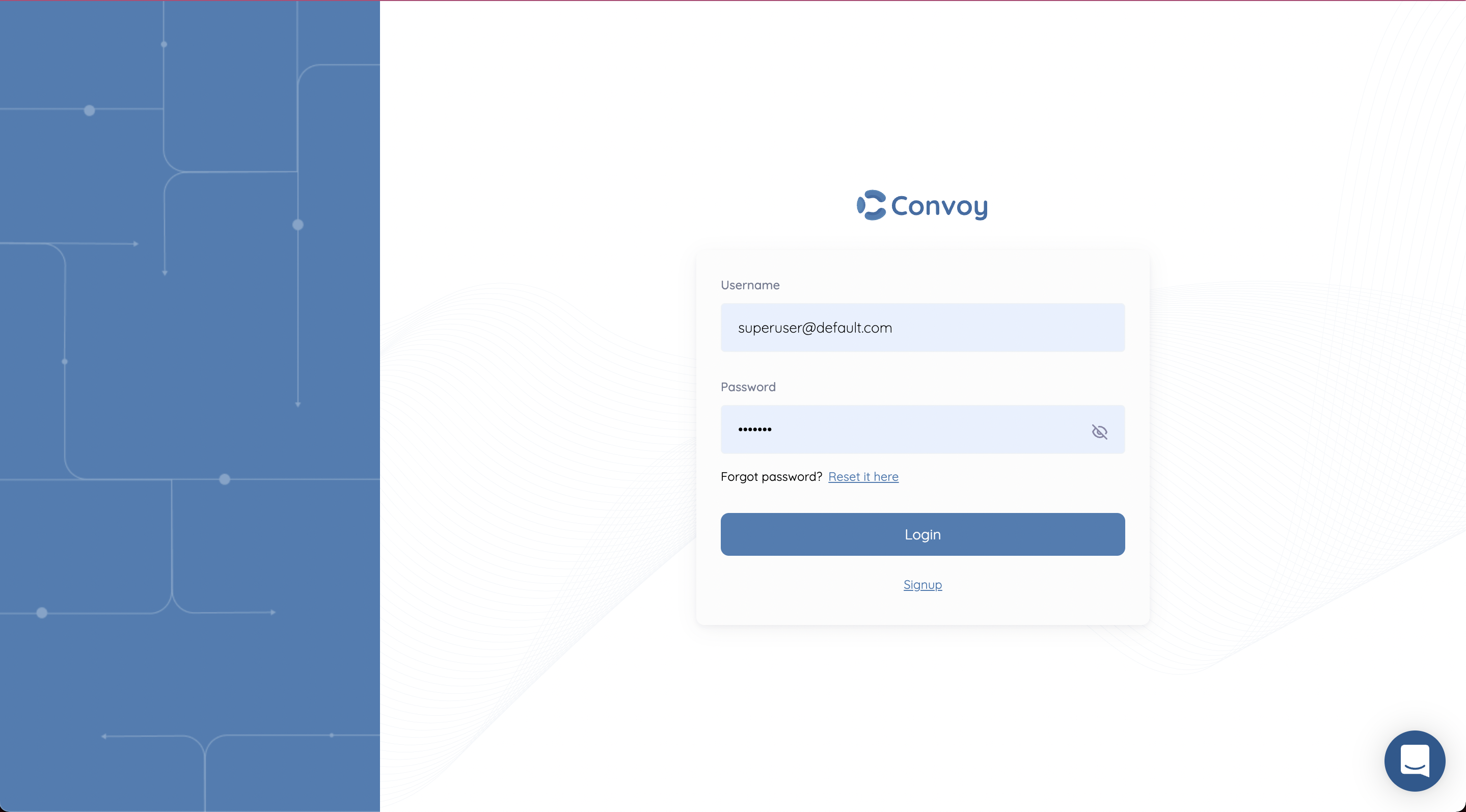 * Create an Organisation
An Organisation is the first resource you create on Convoy. It is used to house all other resources needed to receive webhooks.
* Create an Organisation
An Organisation is the first resource you create on Convoy. It is used to house all other resources needed to receive webhooks.
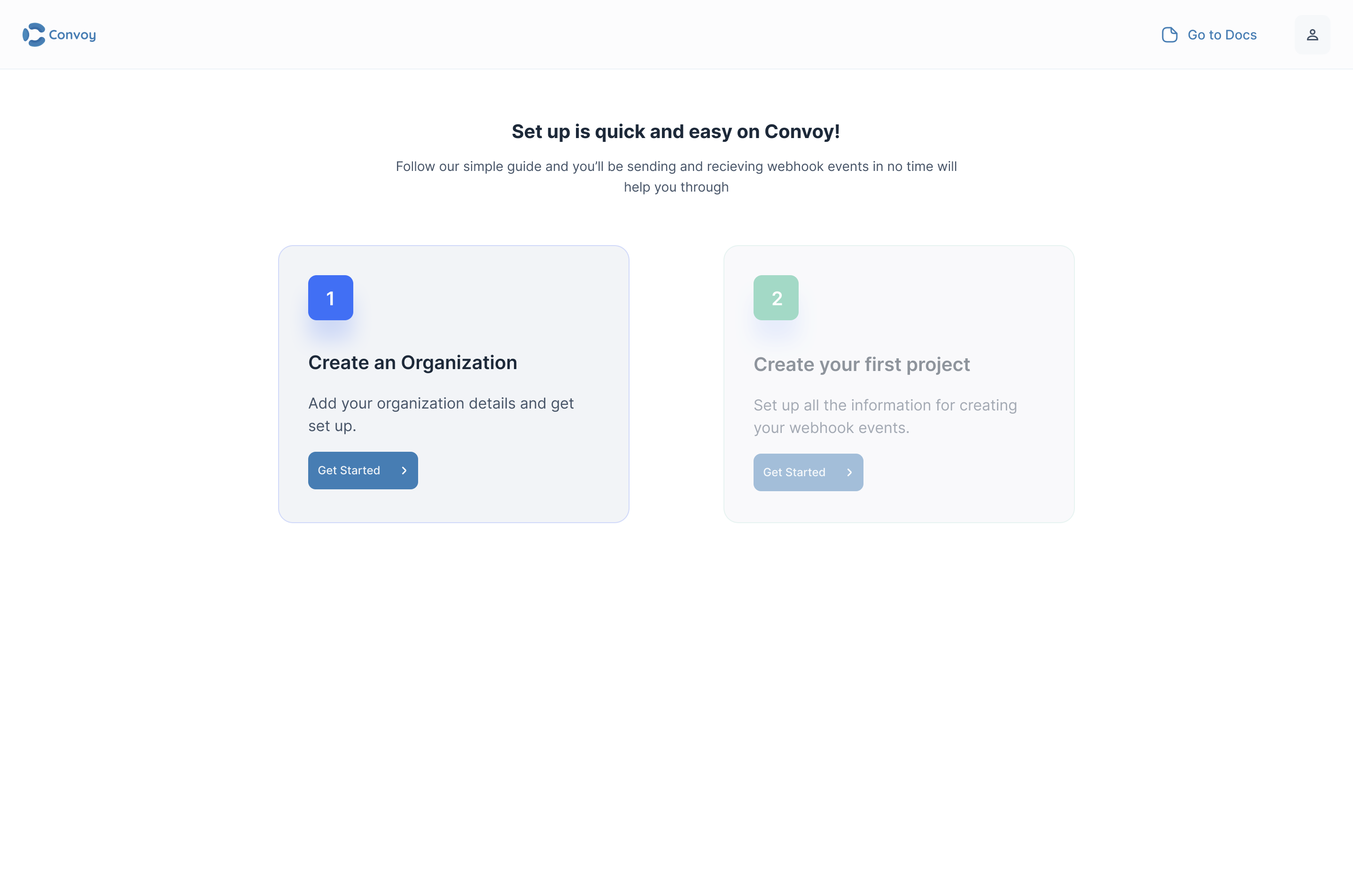 After creating an organisation, you will be able to create a project from your dashboard. Your dashboard should look like this:
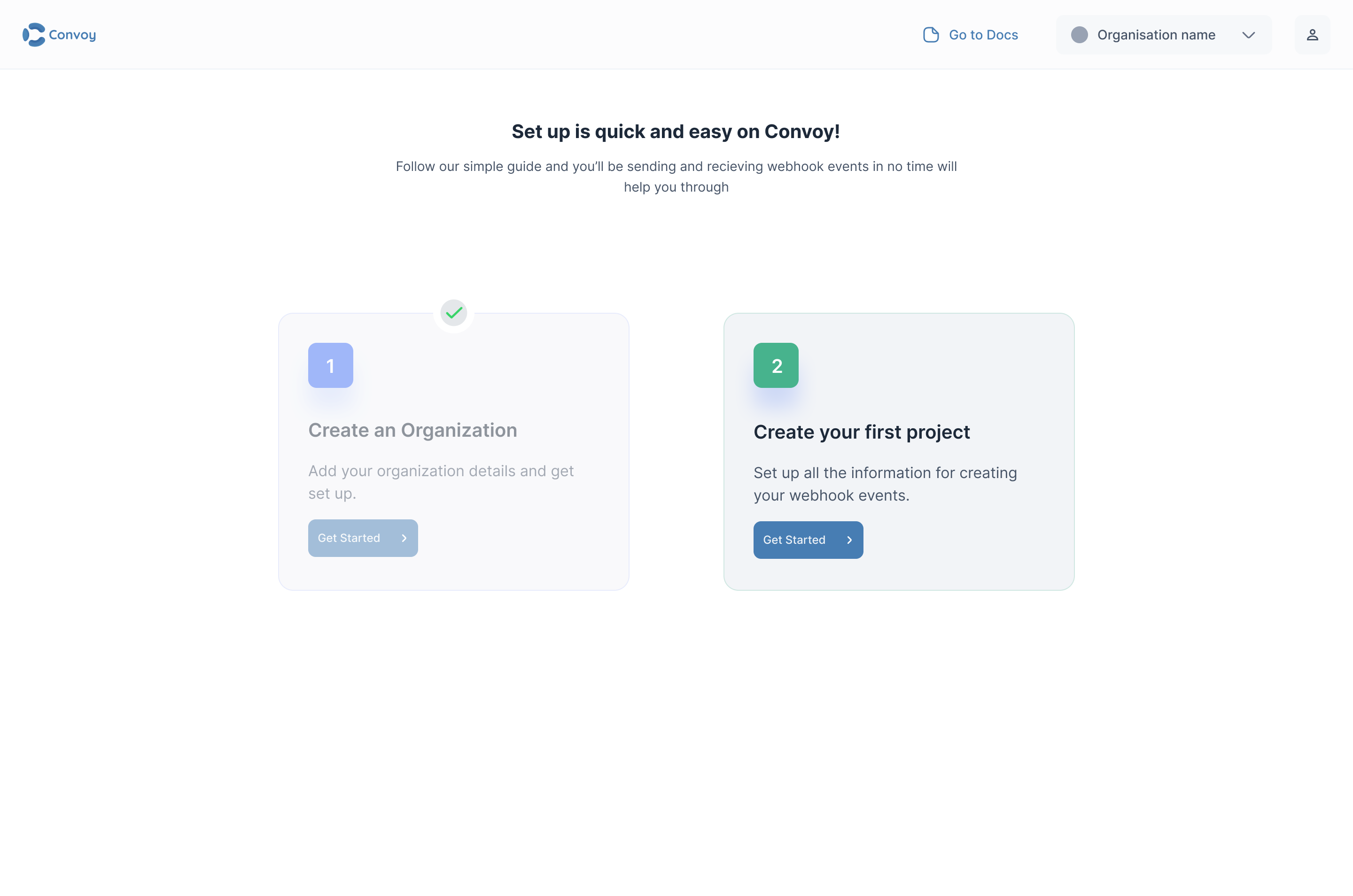
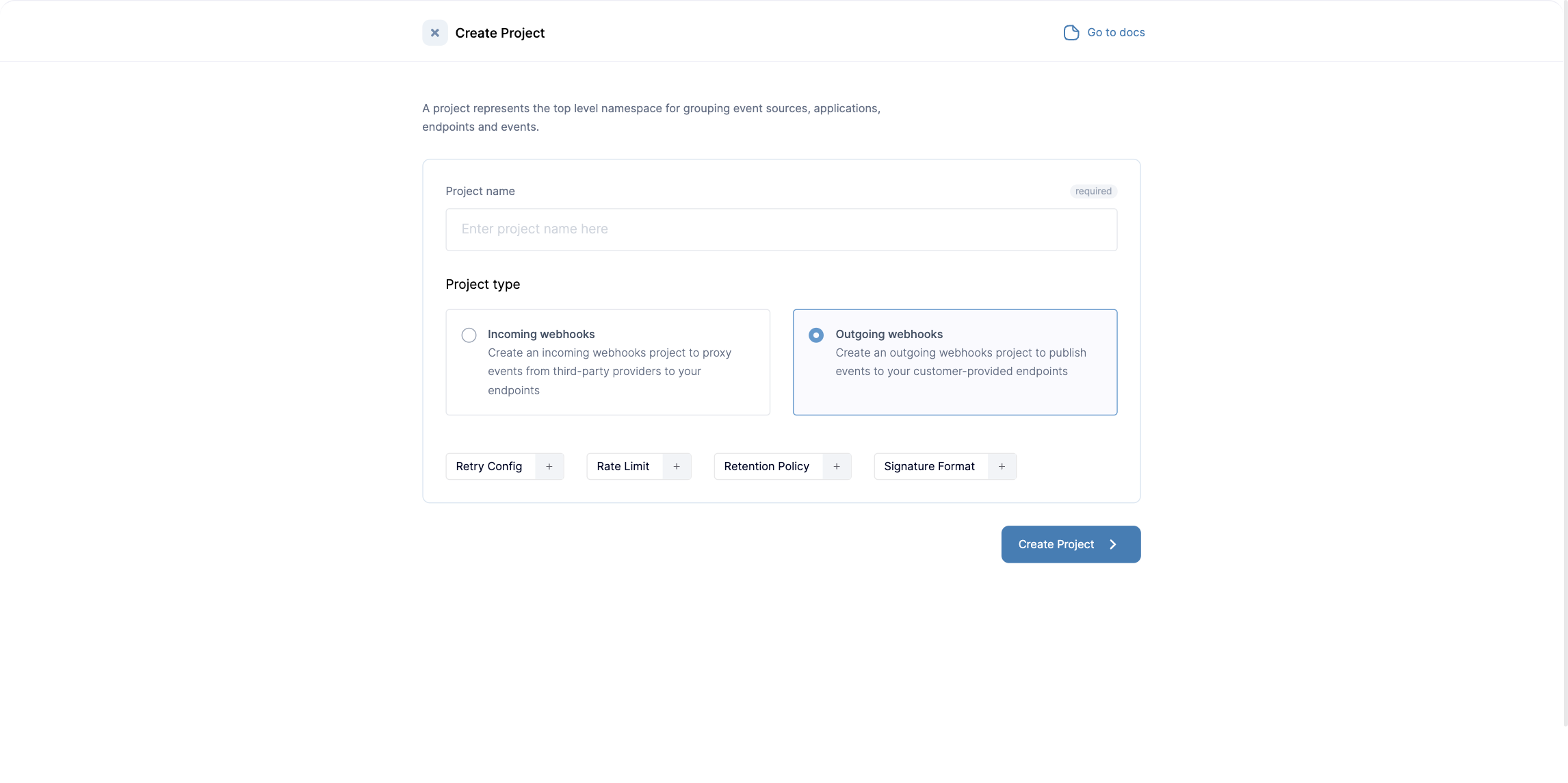
A Project is used to isolate several webhooks projects in an organisation. You can also create projects via the API; see [Create a project](/api-reference/projects/create-a-project) and [API-driven onboarding](/guides/api-onboarding).
* **Create an Incoming Webhooks Project**. From your dashboard, click on the Create Project button and select an Incoming webhooks project type:New incoming project
Once your project is created, an API key will be generated and displayed. The API key will be used to authorise operations on your Convoy account from the SDKs and API:
 Copy the API key and store it in a secure place. Due to security reasons, the API key can not be displayed after closing the window.
The next step is to configure your project by creating an endpoint, a source and setting your webhook subscription configuration.
Copy the API key and store it in a secure place. Due to security reasons, the API key can not be displayed after closing the window.
The next step is to configure your project by creating an endpoint, a source and setting your webhook subscription configuration.
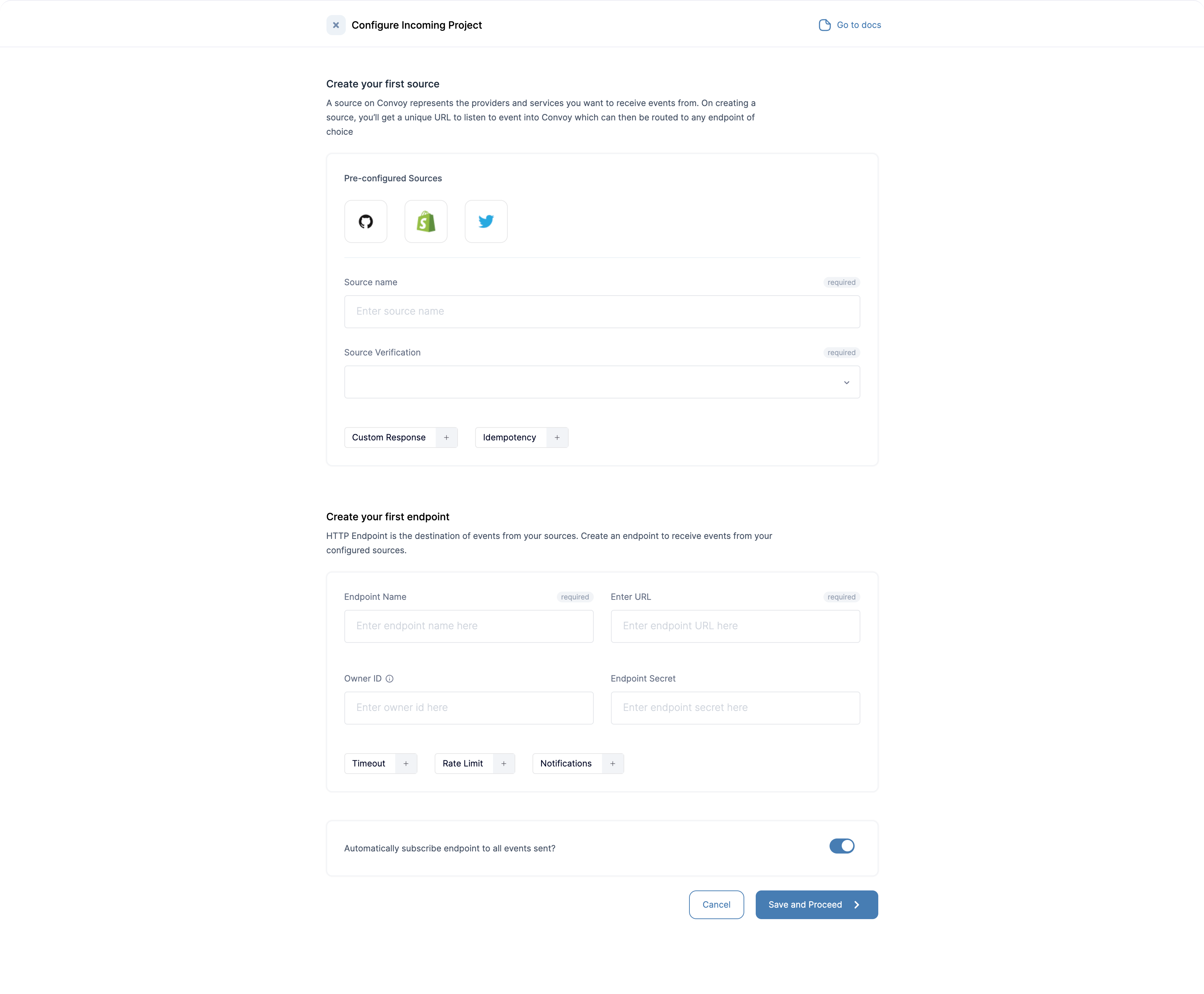 * **Create your endpoint**. An endpoint is a specific destination that can receive webhook events.
Provide the following configuration parameters. For example:
* Endpoint Description: My primary endpoint
* Endpoint URL: URL of primary Endpoint.
* **Create a Source** A Source is an event source. It is what describes how webhook events are ingested into Convoy. Provide the following configuration parameters:
* Source Name: Incoming source
* Source Type: Ingestion HTTP
* Ingestion HTTP Type: None
* **Subscribe your endpoint to the webhook source**. Finally, you need to subscribe your backend endpoint to the webhook source you created. This can be automatically done, but you can also manually configure this with a toggle as seen in the screenshot above:
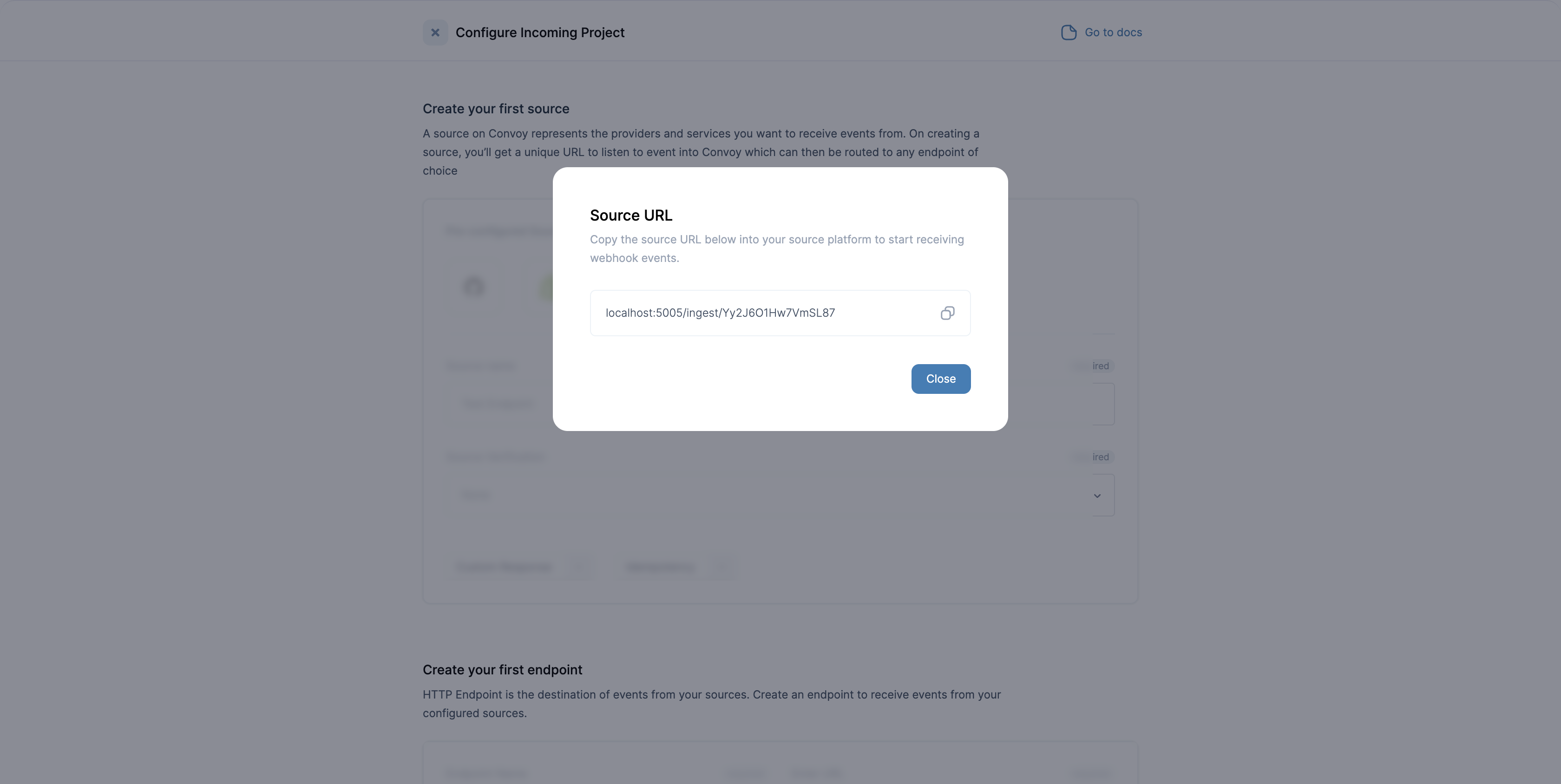
* **Retrieve the Source URL**. Retrieve the source URL generated by Convoy and supply it to your providers to receive webhook events:
* **Create your endpoint**. An endpoint is a specific destination that can receive webhook events.
Provide the following configuration parameters. For example:
* Endpoint Description: My primary endpoint
* Endpoint URL: URL of primary Endpoint.
* **Create a Source** A Source is an event source. It is what describes how webhook events are ingested into Convoy. Provide the following configuration parameters:
* Source Name: Incoming source
* Source Type: Ingestion HTTP
* Ingestion HTTP Type: None
* **Subscribe your endpoint to the webhook source**. Finally, you need to subscribe your backend endpoint to the webhook source you created. This can be automatically done, but you can also manually configure this with a toggle as seen in the screenshot above:
* **Retrieve the Source URL**. Retrieve the source URL generated by Convoy and supply it to your providers to receive webhook events:
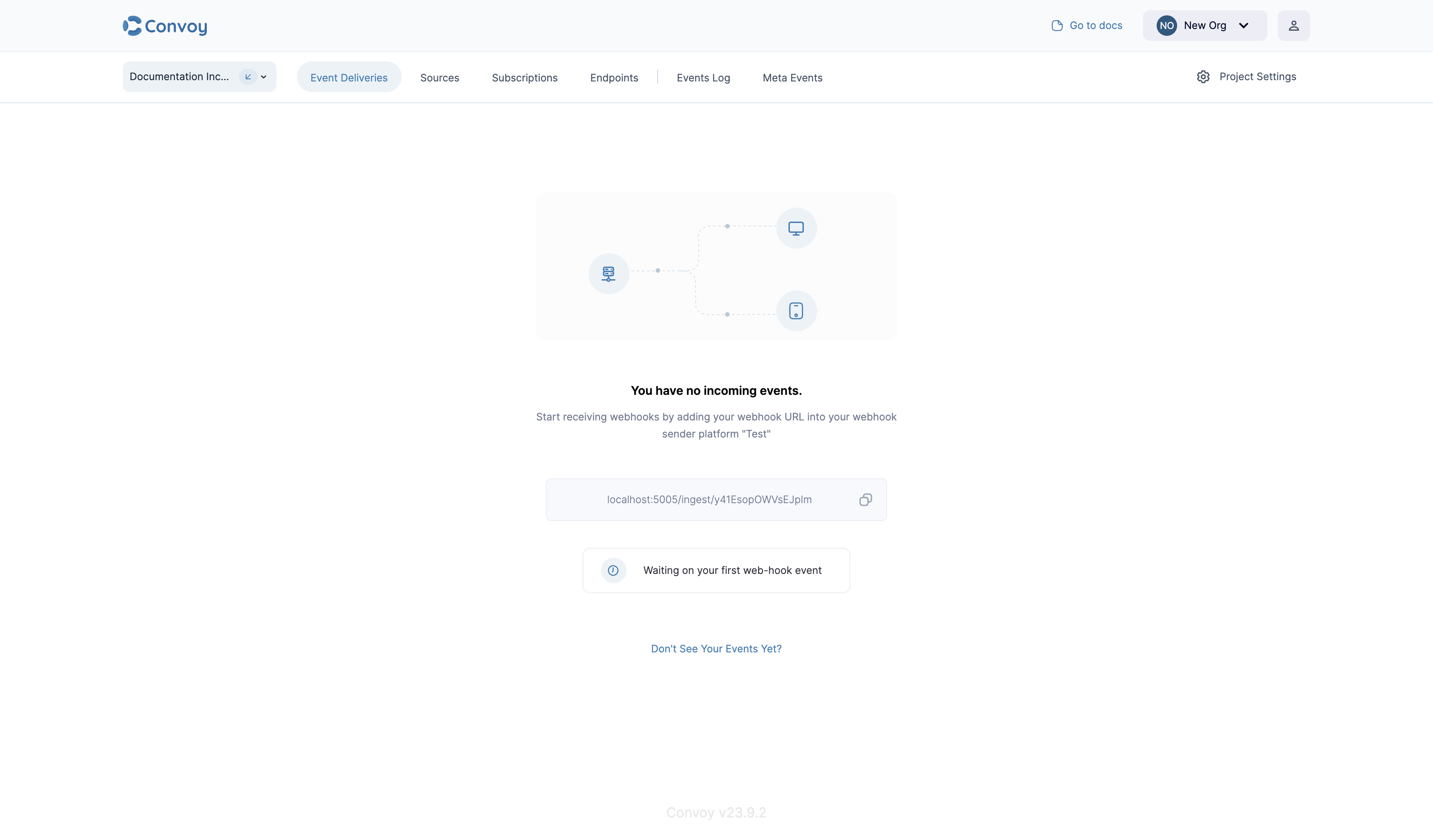
 **Cheers 🎉** That's all. All your webhook events from your configured source will now be sent to your endpoint and can be viewed from your convoy dashboard.
 ## Verify webhook signatures
Convoy signs every webhook it delivers so your backend can confirm the event came from Convoy and was not tampered with. The signature is sent in the `X-Convoy-Signature` header by default, and every official SDK ships a verification helper. Verify with the raw request body, before parsing it, and reject requests that fail verification with a `400`.
The `secret` is the endpoint secret you configured when creating the endpoint. Both [simple and advanced signatures](/product-manual/signatures) are supported; the helpers detect the scheme from the header.
```js example theme={null}
const express = require('express');
const { Webhook } = require('convoy.js');
// use the raw body for verification; a re-serialized parsed body may not
// match the exact bytes Convoy signed
app.post('/webhooks/convoy', express.raw({ type: 'application/json' }), (req, res) => {
const webhook = new Webhook({
header: req.headers['x-convoy-signature'],
payload: req.body.toString(),
secret: 'endpoint-secret'
});
try {
webhook.verify();
} catch (error) {
return res.status(400).send('invalid signature');
}
// signature is valid; process the event
res.status(200).end();
});
```
```python example theme={null}
from convoy.utils.webhook import Webhook
webhook = Webhook(secret="endpoint-secret")
def handle_convoy_webhook(request):
# payload must be the raw request body, decoded to a string.
# compare against True explicitly: on failure the helper returns an
# error message (a truthy string), so a bare truthiness check would
# accept invalid signatures.
payload = request.body.decode("utf-8")
signature = request.headers.get("X-Convoy-Signature", "")
if webhook.verify_signature(payload, signature) is not True:
return HttpResponse(status=400)
# signature is valid; process the event
return HttpResponse(status=200)
```
```ruby example theme={null}
webhook = Convoy::Webhook.new("endpoint-secret")
post '/webhooks/convoy' do
payload = request.body.read
begin
verified = webhook.verify(payload, request.env['HTTP_X_CONVOY_SIGNATURE'])
halt 400, 'invalid signature' unless verified
rescue Convoy::SignatureVerificationError
halt 400, 'invalid signature'
end
# signature is valid; process the event
status 200
end
```
```go example theme={null}
import (
"io"
"net/http"
convoy "github.com/frain-dev/convoy-go/v2"
)
var webhook = convoy.NewWebhook(&convoy.WebhookOpts{
Secret: "endpoint-secret",
})
func handleConvoyWebhook(w http.ResponseWriter, r *http.Request) {
// read the body once so it stays available for processing after
// verification; VerifyRequest would consume it
body, err := io.ReadAll(r.Body)
if err != nil {
http.Error(w, "failed to read body", http.StatusBadRequest)
return
}
if err := webhook.VerifyPayload(body, r.Header.Get("X-Convoy-Signature")); err != nil {
http.Error(w, "invalid signature", http.StatusBadRequest)
return
}
// signature is valid; process the event using body
w.WriteHeader(http.StatusOK)
}
```
## Additional guide
You can learn how to receive GitHub webhook events using Convoy by reading this [blog post](https://getconvoy.io/blog/receiving-wehbook-events-from-github-with-convoy).
## Verify webhook signatures
Convoy signs every webhook it delivers so your backend can confirm the event came from Convoy and was not tampered with. The signature is sent in the `X-Convoy-Signature` header by default, and every official SDK ships a verification helper. Verify with the raw request body, before parsing it, and reject requests that fail verification with a `400`.
The `secret` is the endpoint secret you configured when creating the endpoint. Both [simple and advanced signatures](/product-manual/signatures) are supported; the helpers detect the scheme from the header.
```js example theme={null}
const express = require('express');
const { Webhook } = require('convoy.js');
// use the raw body for verification; a re-serialized parsed body may not
// match the exact bytes Convoy signed
app.post('/webhooks/convoy', express.raw({ type: 'application/json' }), (req, res) => {
const webhook = new Webhook({
header: req.headers['x-convoy-signature'],
payload: req.body.toString(),
secret: 'endpoint-secret'
});
try {
webhook.verify();
} catch (error) {
return res.status(400).send('invalid signature');
}
// signature is valid; process the event
res.status(200).end();
});
```
```python example theme={null}
from convoy.utils.webhook import Webhook
webhook = Webhook(secret="endpoint-secret")
def handle_convoy_webhook(request):
# payload must be the raw request body, decoded to a string.
# compare against True explicitly: on failure the helper returns an
# error message (a truthy string), so a bare truthiness check would
# accept invalid signatures.
payload = request.body.decode("utf-8")
signature = request.headers.get("X-Convoy-Signature", "")
if webhook.verify_signature(payload, signature) is not True:
return HttpResponse(status=400)
# signature is valid; process the event
return HttpResponse(status=200)
```
```ruby example theme={null}
webhook = Convoy::Webhook.new("endpoint-secret")
post '/webhooks/convoy' do
payload = request.body.read
begin
verified = webhook.verify(payload, request.env['HTTP_X_CONVOY_SIGNATURE'])
halt 400, 'invalid signature' unless verified
rescue Convoy::SignatureVerificationError
halt 400, 'invalid signature'
end
# signature is valid; process the event
status 200
end
```
```go example theme={null}
import (
"io"
"net/http"
convoy "github.com/frain-dev/convoy-go/v2"
)
var webhook = convoy.NewWebhook(&convoy.WebhookOpts{
Secret: "endpoint-secret",
})
func handleConvoyWebhook(w http.ResponseWriter, r *http.Request) {
// read the body once so it stays available for processing after
// verification; VerifyRequest would consume it
body, err := io.ReadAll(r.Body)
if err != nil {
http.Error(w, "failed to read body", http.StatusBadRequest)
return
}
if err := webhook.VerifyPayload(body, r.Header.Get("X-Convoy-Signature")); err != nil {
http.Error(w, "invalid signature", http.StatusBadRequest)
return
}
// signature is valid; process the event using body
w.WriteHeader(http.StatusOK)
}
```
## Additional guide
You can learn how to receive GitHub webhook events using Convoy by reading this [blog post](https://getconvoy.io/blog/receiving-wehbook-events-from-github-with-convoy).